;help Command
The ;help command can show you a list of various commands.
The command will show an list of what commands you can do.
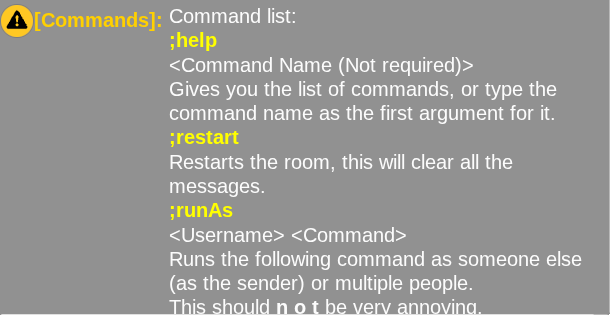
Usage:
Examples
Typing a command
You'll usually see something like:
To use the command you'll type in chat:
Usually things in greater than and less than symbols (< and >) are required, and the command won't do anything or give an error without required arguments.
Each one of the things in the symbols is represented by a space, ones like for <Message> are always at the end and allow you to put spaces.
tip
When you see <Username>, you can use user selectors. Almost all message commands support them.
Type one of these to select one or more users in the room:
@all- Selects everyone currently online, including you.@others- Selects everyone currently online, except you.@selfor@me- Selects youself.
For example: